
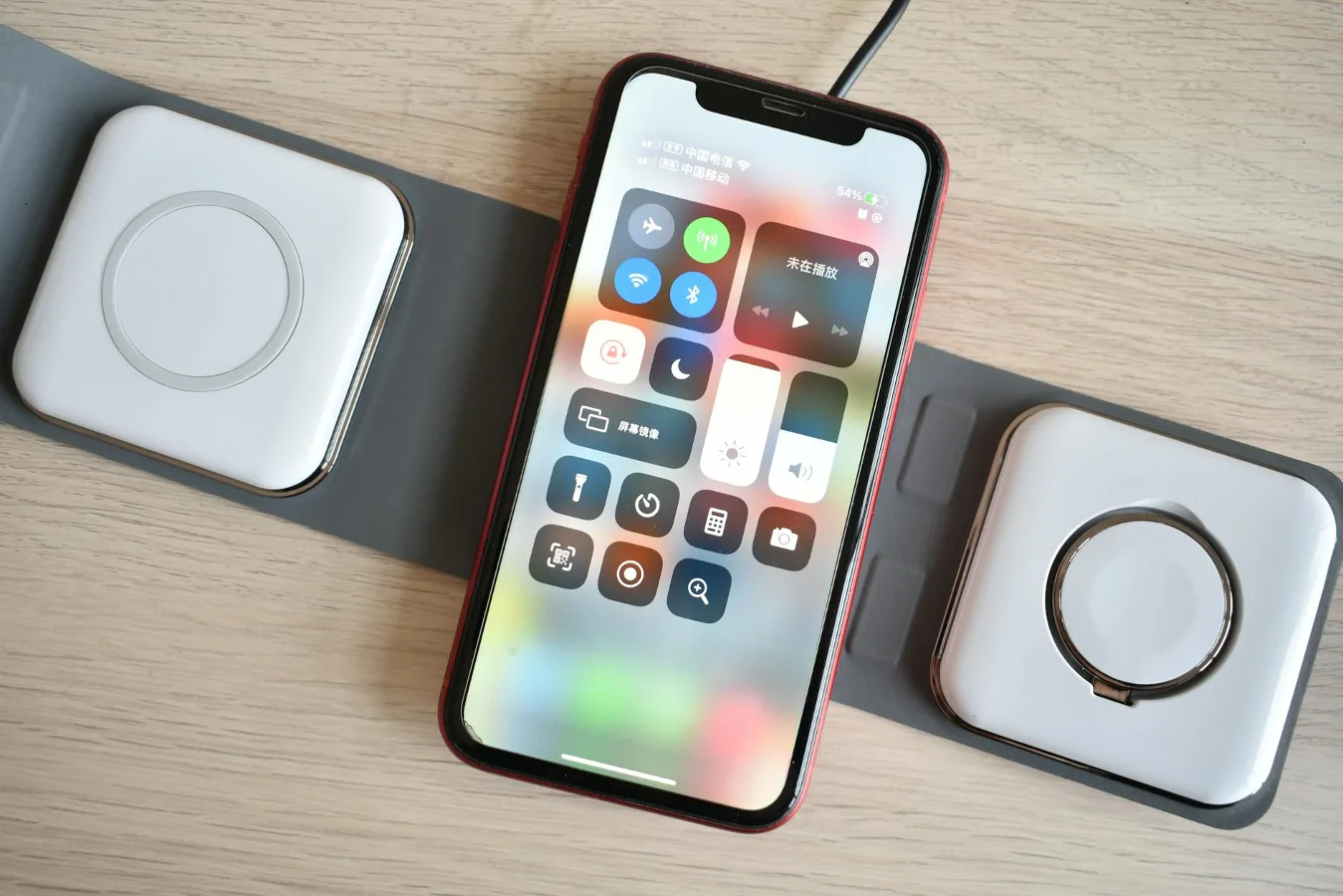
If you are comparing an Aira wireless charger, the most useful question is not simply whether it charges a phone wirelessly. It is whether it fits your phone, your case, your daily routine, and the kind of charging speed you actually need. For most shoppers, that means checking compatibility first, then looking at alignment, heat, cable length, power input, and whether the design suits a desk, nightstand, or travel bag. 3-in-1 wireless charger offers more detail on this point. Rivacase Power Bank 2120 Guide offers more detail on this point.
This guide breaks down the buying decision in practical terms so you can judge an Aira wireless charger on the factors that matter most. It also covers the trade-offs that often get overlooked, especially for people who are moving from a cable to a wireless setup for the first time.
When an Aira wireless charger makes sense
An Aira wireless charger makes the most sense if you want a simpler drop-and-go routine and you do not mind that wireless charging is usually less direct than plugging in a cable. That trade-off matters. Wireless charging is convenient, but it can be more sensitive to phone placement, case thickness, and power adapter quality than many buyers expect.
It is a strong fit for bedside use, office desks, and other spots where the phone spends time sitting still. If you regularly pick up your phone for quick top-ups while moving around, a cable may still be the faster and more reliable option. The best choice depends on whether convenience or speed matters more in your day-to-day use.
Compatibility is the first thing to verify
Before focusing on design or finish, confirm that the charger works with your phone model and charging standard. Many wireless chargers rely on Qi charging, while some are also designed with magnetic alignment for newer iPhone models or similar magnetic cases. Those details determine whether the phone sits correctly on the charging surface and whether it stays aligned during use.
If you use an Android phone, compatibility can vary more than buyers sometimes assume. Some devices support wireless charging natively, while others do not. Even when a phone supports wireless charging, the case you use can affect performance. Very thick cases, cases with uneven backs, ring holders, metal plates, or accessories that interfere with alignment can reduce charging reliability.
A good rule is to check three things together: the phone model, the case design, and the charger type. A charger that looks universal may still behave differently depending on how well those pieces work as a system. how to choose a phone charger offers more detail on this point.
How charging speed should be judged
Wireless charging speed is best evaluated as a practical expectation rather than a headline number. Real-world speed depends on the charger’s power input, the phone’s wireless charging limits, the power adapter you use, and how well the phone is positioned on the charging surface.
That means a charger can be technically capable and still feel slow if the power source is underpowered or if the phone keeps shifting out of alignment. This is one of the most common misconceptions about wireless chargers: the charging pad is only one part of the setup. If the wall adapter or cable feeding it is not strong enough, performance may be limited even if the pad itself is well made.
If speed is important, look for a charger that is paired with a suitable USB-C power adapter recommendation and a phone placement style that supports consistent alignment. Stand-style chargers can make alignment easier for some users because the phone has a defined resting angle. Flat pads can be more compact, but they may require a little more care when placing the device.
Placement style: pad, stand, or magnetic alignment
The shape of the charger affects everyday convenience more than many buyers realize. A flat charging pad is usually the simplest and smallest option. It works well on a nightstand or side table, especially if you do not need to glance at notifications while the phone charges.
A charging stand can be better if you want to see the screen during charging, use the phone in landscape for video calls, or keep an eye on alerts at your desk. The trade-off is that a stand usually takes up more visual space and may be less portable.
Magnetic alignment can reduce guesswork, especially for users who want the phone to “snap” into place consistently. That convenience is valuable, but it is worth remembering that magnetic designs are most useful when your device and case are compatible with that alignment style. If they are not, the benefit drops quickly.
Case fit and material matter more than people expect
Phone case compatibility is one of the most overlooked parts of wireless charging. A case that feels fine in the hand can still interfere with charging if it is too thick or contains materials that disrupt the connection between the phone and charger. This is especially relevant for rugged cases, wallet cases, and cases with built-in grips or accessories.
Soft silicone cases, slim hard-shell cases, and cases designed with wireless charging in mind are usually the easiest match. Even then, the real question is whether the phone sits evenly on the charger and stays centered. If you have to remove the case frequently just to get a reliable charge, the charger is not really saving time.
Another nuance: some cases look thin but contain raised camera surrounds, textured backs, or embedded components that can affect how the phone rests on a flat pad. The case does not need to be a problem, but it is worth treating it as part of the system rather than as an afterthought.
Heat and stability are part of long-term usability
Wireless charging naturally creates some heat, so the question is not whether a charger becomes warm, but whether the charging experience feels controlled and predictable. Excessive warmth can be uncomfortable on a desk or nightstand, and it may also affect how reliably the charger performs over time.
Look for design features that support stability, such as a grippy surface or a form factor that keeps the phone from sliding. If the phone shifts around easily, charging can become inconsistent. That is especially frustrating overnight, when a phone may wake up half-charged because it was nudged out of position.
Good airflow around the charger also helps in everyday use. A charger buried under papers, placed on a soft blanket, or tucked into a crowded corner may not behave as well as one with open space around it.
What to check before buying an Aira wireless charger
Use this checklist as a practical filter before you commit:
- Phone compatibility: Confirm that your phone supports the charging standard the charger uses.
- Case compatibility: Check whether your current case is thin enough for reliable charging.
- Power input: Make sure the charger is paired with an appropriate USB-C power source if required.
- Charging position: Decide whether you want a flat pad, a stand, or a magnetic-style alignment.
- Desk or bedside fit: Think about where the charger will live most of the time.
- Portability: If you travel, prioritize a compact shape and simple cable management.
- Stability: A non-slip surface can prevent alignment problems.
- Screen visibility: A stand may be better if you want to use the phone while it charges.
Common mistakes buyers make
One common mistake is assuming every wireless charger behaves the same. In reality, the charging standard, power input, and physical design all influence how well it works in your setup. Another mistake is treating the phone case as irrelevant. A charger can be perfectly fine on paper and still underperform because of case thickness or poor alignment.
Buyers also often overlook the adapter. If the charger does not include the wall adapter, you may need to supply one that matches the charger’s requirements. Using an underpowered adapter can make the charger feel disappointing even if the charger itself is not the problem.
A final mistake is buying for the wrong use case. A charger that is ideal for a nightstand may be awkward on a cluttered desk. A slim travel pad may not offer the angle you want for video calls. Matching the form factor to the routine matters more than chasing the most feature-packed option.
Examples of the right fit for different users
For bedside use: A flat charger is often the simplest choice if you mostly leave the phone in one place overnight. Quiet operation, stable placement, and a low-profile design matter more than extra features.
For a work desk: A stand can be more practical because it keeps the screen visible. That makes it easier to glance at calls, messages, or calendar alerts without picking up the phone constantly.
For travel: A compact charger with minimal bulk is usually the better option. Portability and easy packing tend to matter more than visual design.
For heavy case users: Compatibility becomes the deciding factor. If you use a thick or rugged case, prioritize a charger with a layout that is more forgiving of alignment issues, or be prepared to remove the case when charging.
Alternatives if a wireless charger is not the best fit
A wireless charger is convenient, but it is not always the best answer. If your priority is the fastest possible top-up, a wired USB-C charger may be more practical. It usually offers more direct power transfer and is less sensitive to positioning.
If you want a charging setup that works across multiple devices, a multi-device charging station may be worth considering. If your phone support situation is mixed, a simple cable plus a compact adapter can still be the most dependable option.
For people who want both convenience and flexibility, the best setup is sometimes hybrid: a wireless charger on the desk or nightstand, plus a cable in the bag for travel or quick emergency charging.
A simple way to decide
If you are still undecided, use this short decision path:
- Start with your phone model and confirm wireless charging support.
- Check whether your case is slim enough to avoid alignment issues.
- Choose the shape that matches the space where you will use it most.
- Decide whether convenience, screen visibility, or portability matters most.
- Confirm what power adapter is needed so you do not end up underpowering the setup.
If all five points line up, an Aira wireless charger is likely to feel useful rather than merely convenient. If one or two of them do not fit your routine, a different charger style may be the better purchase.
What matters most before you buy
The best Aira wireless charger is the one that works smoothly with your phone, your case, and the place where you plan to use it. The decision is less about chasing a feature list and more about removing friction from your daily routine. Compatibility, alignment, power input, and physical format will tell you much more than a product name alone.
That is why the smartest purchase is usually the one that solves a specific use case clearly. If you know where the charger will sit and how you want to use it, choosing becomes much easier—and the result is more likely to feel seamless over time.
