
Quick answer: the most useful iPhone filming accessories
The most useful iPhone filming accessories are the ones that fix the biggest weaknesses in phone video: shaky footage, poor audio, and uneven lighting. For most creators, that means starting with a tripod or grip, an external microphone, and a compact light. After that, a gimbal, lens attachments, or a phone rig can make sense depending on the style of video you shoot.
If you are filming interviews, tutorials, product clips, or social content, the best setup is usually not the most expensive one. It is the one that fits your workflow, travels easily, and keeps you from fighting the phone while you record.
Accessories also solve different problems. A tripod helps with framing and consistency. A microphone improves clarity and reduces reliance on the iPhone’s built-in mic. Lighting helps you control exposure and skin tones. Stabilization tools reduce motion blur and make handheld footage look more deliberate. Once you know which problem matters most, choosing the right gear becomes much easier.
How iPhone filming accessories compare
There is no single best accessory for everyone because the right choice depends on what you film and where you film it. A solo creator making talking-head videos has very different needs from someone filming travel clips, recipe videos, or product demos.
| Accessory type | Best for | Main advantage | Main limitation |
|---|---|---|---|
| Tripod or phone stand | Static shots, tutorials, livestreams, interviews | Stable framing and hands-free recording | Less useful for movement-heavy filming |
| Microphone | Voice-led videos, interviews, vlogs | Clearer audio than the built-in mic | Needs compatibility and placement attention |
| Portable light | Indoor filming, low-light rooms, product shots | More controlled exposure and cleaner-looking video | Can add setup time and requires positioning |
| Gimbal | Walking shots, b-roll, travel footage | Smoother motion and reduced shake | Bulkier than a simple grip or tripod |
| Phone rig | More advanced filming setups | Lets you mount multiple accessories together | Can become heavy or overcomplicated |
| Lens attachment | Creative framing, specialty shots | Changes perspective or field of view | Quality depends on the lens and alignment |
That comparison reveals an overlooked point: audio and lighting often improve perceived quality more than a camera upgrade. Many creators focus on stabilizers first, but viewers usually notice muffled sound or bad lighting faster than a slightly shaky shot. If your budget is limited, start with the accessories that solve the most visible problems in your current videos.
What to look for before buying
Shopping for iPhone filming accessories is easier when you evaluate them by use case instead of by feature lists alone. Marketing terms can be vague, and some accessories are designed for a very specific workflow.
Compatibility
Compatibility is the first filter. Some mounts are designed for a wide range of phone sizes, while others work best with a bare phone or a phone in a slim case. Microphones may connect through USB-C, Lightning, or a wireless receiver, and that matters more than the product description sometimes makes it seem. If your setup depends on adapters, charging ports, or a phone case, check the full chain before buying.
Portability
Portability matters if you film outside the house, shoot social content on the move, or want gear that fits in a small bag. A compact tripod and a clip-on microphone may be more practical than a larger rig. On the other hand, if you film in one location, a slightly bulkier setup may be worth it for better stability and easier mounting.
Ease of use
Accessories should make filming simpler, not more frustrating. This is especially important for creators who shoot frequently. A tool that takes too long to set up often gets left behind. Simple quick-release mounts, straightforward gain controls, and lights with easy brightness adjustment tend to be more useful than accessories with extra features you will rarely touch.
Audio quality and placement
For microphones, placement matters as much as the microphone itself. A good mic can still sound poor if it is too far away, rubbing against clothing, or pointed away from the speaker. Wireless mics are convenient, but they still need to be positioned well and kept within a reliable operating range for the setup to make sense.
Lighting control
Lighting accessories should help you shape the scene, not just make it brighter. Look for tools that let you adjust intensity and, where relevant, color temperature. A small light with poor positioning can create harsh shadows, while a well-placed light can make a modest iPhone setup look much more polished.
Stability and mounting security
Any accessory that holds your iPhone should feel secure. This sounds obvious, but it is one of the most practical considerations people overlook. A shaky mount can ruin a shot and make you hesitate during filming. If you use a case, lens attachment, or external mic, check whether the extra weight changes the balance of the setup.
Common mistakes people make with iPhone filming gear
One common mistake is buying accessories in the wrong order. Many people start with a gimbal or a lens attachment because those tools seem exciting, then later realize their audio is still muddy and their indoor videos are too dark. A more balanced approach usually produces better results.
Another mistake is overbuilding the setup too early. A phone rig with several add-ons can be useful, but it can also become cumbersome for fast shoots. If your workflow involves filming casually, traveling, or capturing spontaneous moments, simplicity often matters more than modularity.
People also underestimate how much setup friction affects consistency. If a light requires multiple steps to mount, a microphone needs several adapters, or a tripod takes too long to level, you may stop using it. That is a real-world constraint, not a minor inconvenience. The best accessory is often the one you will actually use every day.
A final mistake is treating every accessory as universally helpful. Lens attachments can be useful, but they are not necessary for every creator. Gimbals can make movement smoother, but they are not ideal for every video format. A creator making talking-head content may benefit more from a mic and light than from extra stabilization gear.
Which accessories matter most for different filming styles
The right iPhone filming accessories depend heavily on your content type. Matching the gear to the format is usually the fastest way to avoid waste.
- Talking-head videos: Prioritize a microphone, a stable stand or tripod, and soft lighting.
- Vlogs: Look for a lightweight grip, portable mic, and a compact stabilization option.
- Product videos: A tripod, controlled lighting, and a mount that allows precise framing are usually more useful than movement-focused gear.
- Travel clips: Portability matters most, so compact stabilization and a small light may be enough.
- Tutorials and demos: Hands-free mounting and consistent overhead or angled framing often matter more than advanced motion tools.
- Interviews: Clean audio and stable placement are usually the priority, followed by lighting that keeps both speakers visible.
This is where a lot of buyers miss an important nuance: the accessory that helps most is often the one that removes the biggest bottleneck in your current setup. If your framing already looks good, a new lens will not add as much value as better sound. If your room lighting is weak, a stabilizer will not fix the image quality issue.
Simple accessory combinations that make sense
Most creators do not need a huge kit to get better results. A few smart combinations cover a lot of use cases.
- Minimal setup: phone tripod + clip-on or wireless mic
- Indoor creator setup: tripod + LED light + external mic
- On-the-move setup: compact grip + portable mic + small light
- More advanced rig: phone cage or rig + mic mount + light mount + handle
These combinations work because they address the basics in a logical order. Stability helps framing, audio helps clarity, and light helps visual quality. Once those three are handled, extra accessories become more about style and workflow than essential image improvement.
When a more advanced rig is worth it
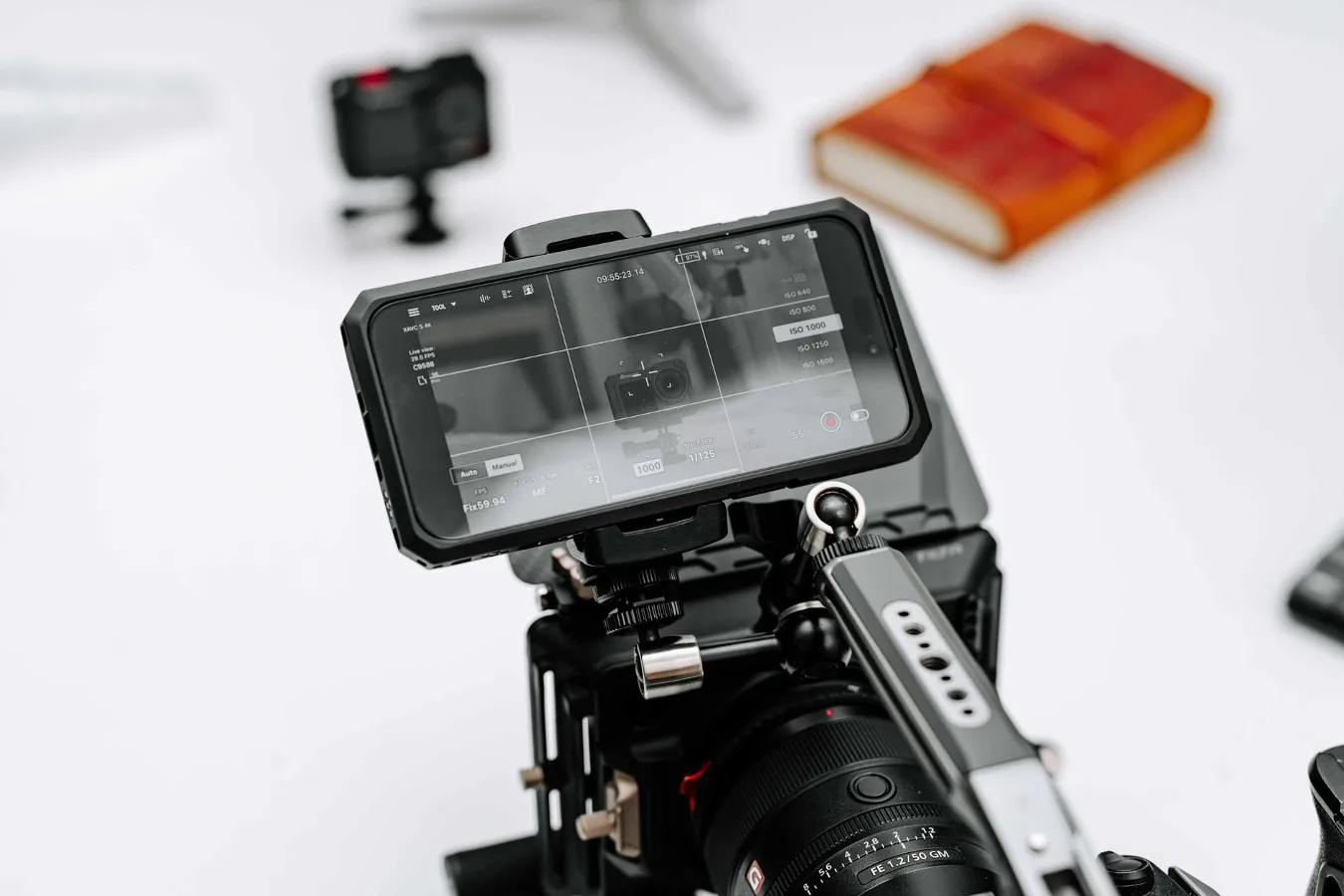
A phone rig makes sense when you regularly mount several accessories and want a more camera-like setup. It can improve handling, give you more mounting options, and make your iPhone feel more secure during longer shoots. For some creators, that added structure is valuable. iPhone camera settings guide offers more detail on this point. iPhone 16 Pro Max Camera Accessories Guide offers more detail on this point.
But a rig is not automatically better. It can add weight, increase setup time, and make a simple shoot feel like a production. If your content depends on speed, mobility, or discretion, a smaller setup may be the better choice. A rig is most useful when the benefits of mounting flexibility outweigh the cost in convenience.
What to skip if you are just getting started
If you are new to filming with an iPhone, do not feel pressured to buy every accessory at once. Specialty lenses, complex cages, and heavy stabilization systems are often easier to evaluate after you have filmed a few projects and identified what is actually limiting your results.
It is usually smarter to begin with the essentials: something to hold the phone steady, something to improve sound, and something to improve light if you film indoors. That approach gives you a stronger baseline and helps you avoid buying gear that looks useful but rarely leaves the drawer.
You can also improve results without new hardware by paying attention to setup choices: frame closer to your subject, avoid noisy rooms, keep your background simple, and use natural light when possible. Accessories help, but good filming habits still matter.
Final guidance for choosing iPhone filming accessories
The best iPhone filming accessories are the ones that support your actual workflow. For most people, that means focusing on audio, stability, and lighting before moving into more specialized tools. best iphone photography accessories offers more detail on this point.
If you film mostly indoors, prioritize a tripod, microphone, and light. If you film on the move, keep the setup compact and portable. If you are building a more advanced creator kit, consider a rig or lens attachments only after the basics are covered. That approach keeps spending focused and avoids accessories that add complexity without solving a real problem.
Used thoughtfully, the right gear can make an iPhone setup feel less like a compromise and more like a flexible video tool. The key is not buying more accessories; it is choosing the few that remove the limitations you feel most often.
