
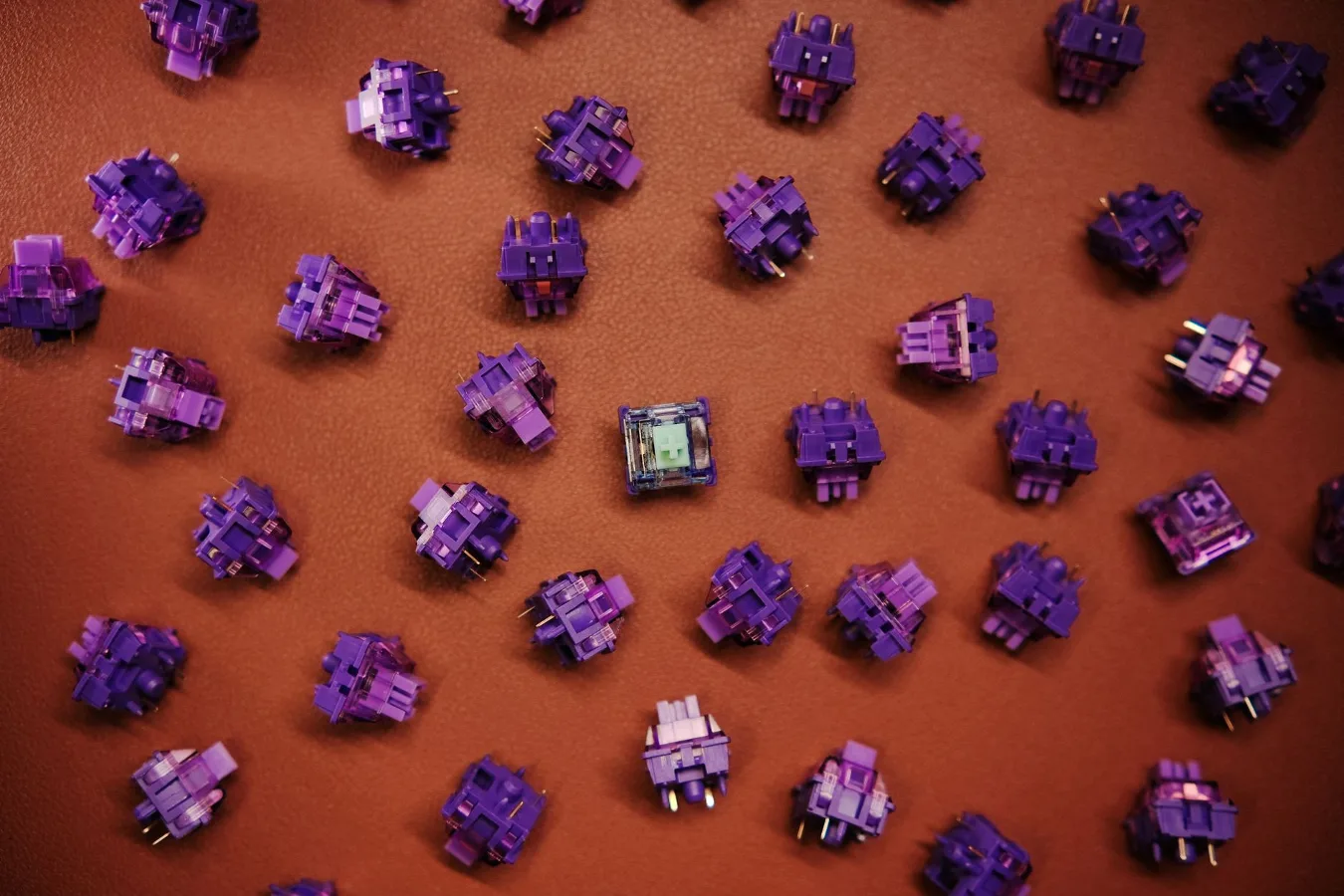
A hot swap mechanical keyboard is a mechanical keyboard with sockets that let you remove and replace switches without soldering. That makes it especially appealing if you want to change the feel of your board, experiment with different switch types, or replace a faulty switch without taking the entire keyboard apart. Purple Mechanical Keyboard Buying Guide offers more detail on this point.
For many buyers, the appeal is not just convenience. Hot swap support lowers the barrier to customization, so you can treat the keyboard as a platform rather than a fixed product. That matters whether you are building a first custom board, trying to refine your typing feel, or looking for a more practical way to maintain a daily driver.
When a hot swap mechanical keyboard makes the most sense
Hot swap support is most useful if you know you may want to change switches later. That could mean trying lighter switches for faster gaming input, quieter switches for shared spaces, or a tactile switch if you currently use linear switches and want more feedback. It also makes sense if you do not want the commitment of soldering, which can be time-consuming and intimidating for beginners.
It is less essential if you already know exactly what switch you want and plan to keep the board unchanged. In that case, a soldered keyboard can still be a strong choice, especially if the rest of the build is better. Hot swap is a feature, not a guarantee of overall quality.
One common misconception is that hot swap automatically means more durable or higher-end. The sockets add convenience, but the board still depends on the quality of the PCB, case, stabilizers, plate, and assembly. A well-made soldered board can feel better than a budget hot swap model with weak acoustics or poor stabilizer tuning.
How hot swap keyboards work
In a hot swap board, each switch sits in a socket on the PCB rather than being soldered into place. Most modern mechanical switches use two main connection formats: 3-pin and 5-pin. Many hot swap PCBs support one or both, but compatibility is not universal, so checking the product details matters.
The other important piece is how the keyboard is designed around the switches. Some boards use a plate that helps hold the switches in place. Others rely more heavily on the PCB and socket design. That affects how secure the switches feel during installation and how easy they are to remove later.
Because the keyboard is modular, hot swap boards are often chosen by people who want to explore different switch families without committing to one sound or feel. That flexibility can be valuable, but it also creates decision points you do not face with a fixed switch board.
Step-by-step criteria for choosing the right one
1. Start with switch compatibility
The first question is whether the board supports the switch type you want to use. Many shoppers focus on the keyboard brand and overlook socket compatibility, but this is one of the most practical constraints. Check whether the PCB accepts 3-pin switches, 5-pin switches, or both.
If you want full flexibility for future switch changes, broader compatibility is easier to live with. If you already prefer a specific switch family, narrow compatibility may still be fine as long as that switch fits the board cleanly.
2. Match the layout to your daily use
Layout has a bigger effect on comfort and productivity than many buyers expect. A full-size board gives you a number pad and dedicated navigation cluster. A tenkeyless layout removes the numpad for a smaller footprint. Compact layouts such as 75%, 65%, and 60% save desk space but often move function keys and navigation into layered shortcuts.
If you work with spreadsheets, data entry, or repeated number input, a full-size or tenkeyless layout may be the more practical choice. If you want more mouse room or a cleaner desk setup, a compact hot swap keyboard can make more sense.
3. Decide how much custom tuning you actually want
Hot swap support is most valuable when you plan to tweak the board over time. That includes swapping switches, changing keycaps, adding foam, adjusting stabilizers, or experimenting with different sound profiles. If you are not interested in that process, the feature may be less important than case quality, typing stability, or wireless reliability.
Some buyers assume hot swap is essential for all mechanical keyboards. It is not. The best choice depends on whether you want a set-and-forget board or a platform for gradual refinement.
4. Look closely at build quality
A hot swap board should still feel stable when typing. Pay attention to the case material, plate design, mounting style, and how much flex or hollowness the keyboard might have. These factors influence typing comfort and acoustics more than hot swap support alone.
Also check the stabilizers, especially for the spacebar, Enter, Backspace, and Shift keys. Stabilizers affect how even larger keys feel and sound. If they are poorly tuned, the keyboard may sound rattly regardless of how good the switches are. guide to keyboard stabilizers offers more detail on this point.
5. Think about sound and feel as a whole system
Many people buy a hot swap keyboard because they want a better typing experience, but the switch is only one part of the result. Keycaps, case design, plate material, mounting style, and internal dampening all shape the final sound and feel. A quiet switch in a bright, resonant case may still sound sharper than expected.
If sound matters, consider how much tuning you want to do after purchase. Some users enjoy modifying foam layers, lubing switches, or changing keycaps. Others want a board that feels good out of the box without extra work.
6. Check whether wireless matters
Some hot swap mechanical keyboards are wired only, while others offer Bluetooth or 2.4 GHz wireless. Wireless support can be useful on a cleaner desk setup or for switching between devices, but it also introduces battery management and potential latency concerns depending on the use case.
For office work and general typing, wireless can be a convenience feature. For competitive gaming or users who want absolute simplicity, a wired board may still be the easier choice.
Benefits that make hot swap worth considering
The biggest benefit is flexibility. If your typing preference changes, you do not need to replace the whole keyboard. You can swap in a different switch type and keep the same board, keycaps, and layout. That makes experimentation less expensive and less wasteful than buying a new keyboard every time your preferences evolve.
Hot swap also makes maintenance easier. If one switch fails, you can replace it directly rather than dealing with soldering tools. For people who want a practical daily driver, that can be a meaningful advantage.
There is also a learning benefit. A hot swap board makes it easier to understand how switch feel, spring weight, and tactility affect your typing. That can help you make better decisions if you later move into custom builds or more specialized boards.
Trade-offs and limitations to keep in mind
Hot swap sockets introduce a dependency on the PCB and socket quality. If the sockets are weak or the board is repeatedly handled roughly, that can become a long-term concern. This does not mean hot swap boards are fragile by default, but it does mean careful installation matters.
Another limitation is that not every switch combination is equally straightforward. Compatibility with pin layout is only one part of the story. A switch may technically fit but still feel loose, interfere with the plate, or behave differently depending on the board design.
Hot swap can also encourage endless tinkering. That is a benefit for enthusiasts, but it can be a drawback if you want a keyboard you can stop thinking about. If you know you are likely to spend more time chasing small improvements than actually using the keyboard, it helps to define a stopping point before you buy.
Examples of good use cases
For beginners: A hot swap keyboard is a smart entry point if you want to learn what different switches feel like without committing to soldering. It reduces the cost of mistakes and makes the learning curve less steep.
For office use: A hot swap board can be useful if you want a quieter setup, but only if you choose the right switch and layout. Comfort, acoustics, and desk footprint matter more than novelty.
For gaming: The feature is helpful if you like adjusting actuation feel or want a faster linear switch. But gaming buyers should also check polling, layout, and key rollover rather than focusing only on hot swap support.
For customization projects: If you enjoy tuning keyboards, hot swap is one of the most practical ways to experiment with switches, keycaps, stabilizers, and sound treatment without locking yourself into a soldered build.
Common mistakes buyers make
- Assuming all switches fit: Always verify 3-pin and 5-pin compatibility before buying switches or a board.
- Ignoring layout comfort: A feature-rich board that feels cramped on your desk can be a poor long-term choice.
- Overlooking stabilizers: Large keys can make or break the typing experience.
- Prioritizing hot swap over build quality: A flexible socket is not a substitute for a solid case and well-designed PCB.
- Buying for customization you will not actually do: If you will never change switches, the feature may not be worth paying extra for.
- Forgetting about acoustics: A hot swap board can still sound hollow or sharp if the rest of the design is not well balanced.
A practical checklist before you buy
- Confirm the keyboard supports the switch type you plan to use.
- Choose a layout that fits your work, gaming, or travel needs.
- Check whether you want wired, wireless, or both.
- Review the mount style and overall build materials.
- Look for stable stabilizers and a sensible keycap profile.
- Think about whether you want a quiet, neutral, or more expressive sound.
- Decide how much customization you realistically plan to do.
- Compare the board against a non-hot-swap alternative with similar overall quality.
Hot swap versus soldered: which is better?
The better option depends on your priorities. Hot swap is better if flexibility, easy maintenance, and low-risk experimentation matter most. Soldered is better if you know exactly what you want and care more about a fixed build with fewer mechanical interfaces between the switch and PCB.
For many buyers, the decision is not really about performance alone. It is about workflow. If you enjoy adjusting your setup over time, hot swap is the more forgiving choice. If you want a one-and-done keyboard and prefer stability over tinkering, soldered can still be the cleaner fit.
That is the nuance many shopping guides miss: the right keyboard is not just the one with the most features. It is the one that matches how much effort you want to invest after the purchase.
How to think about value
Value in a hot swap mechanical keyboard comes from more than the socket feature. Consider the entire package: layout, case design, switch compatibility, stabilizer quality, connectivity, and how easy it will be to keep using the board as your preferences change. A cheaper board that needs immediate upgrades may not deliver better value than a more balanced model that works well from the start. how to choose a keyboard layout offers more detail on this point.
If you plan to keep the keyboard for years, long-term flexibility can be a meaningful part of value. Being able to refresh the feel of the board with a switch change, rather than replacing the whole keyboard, is one of the strongest arguments for hot swap support.
Still, the best purchase is the one that fits your actual use case. A hot swap mechanical keyboard is especially worth considering when you want room to learn, tune, and adapt. If you mostly want a dependable keyboard and do not care about modification, you may be better served by choosing the strongest all-around model rather than focusing on the socket type alone.
