
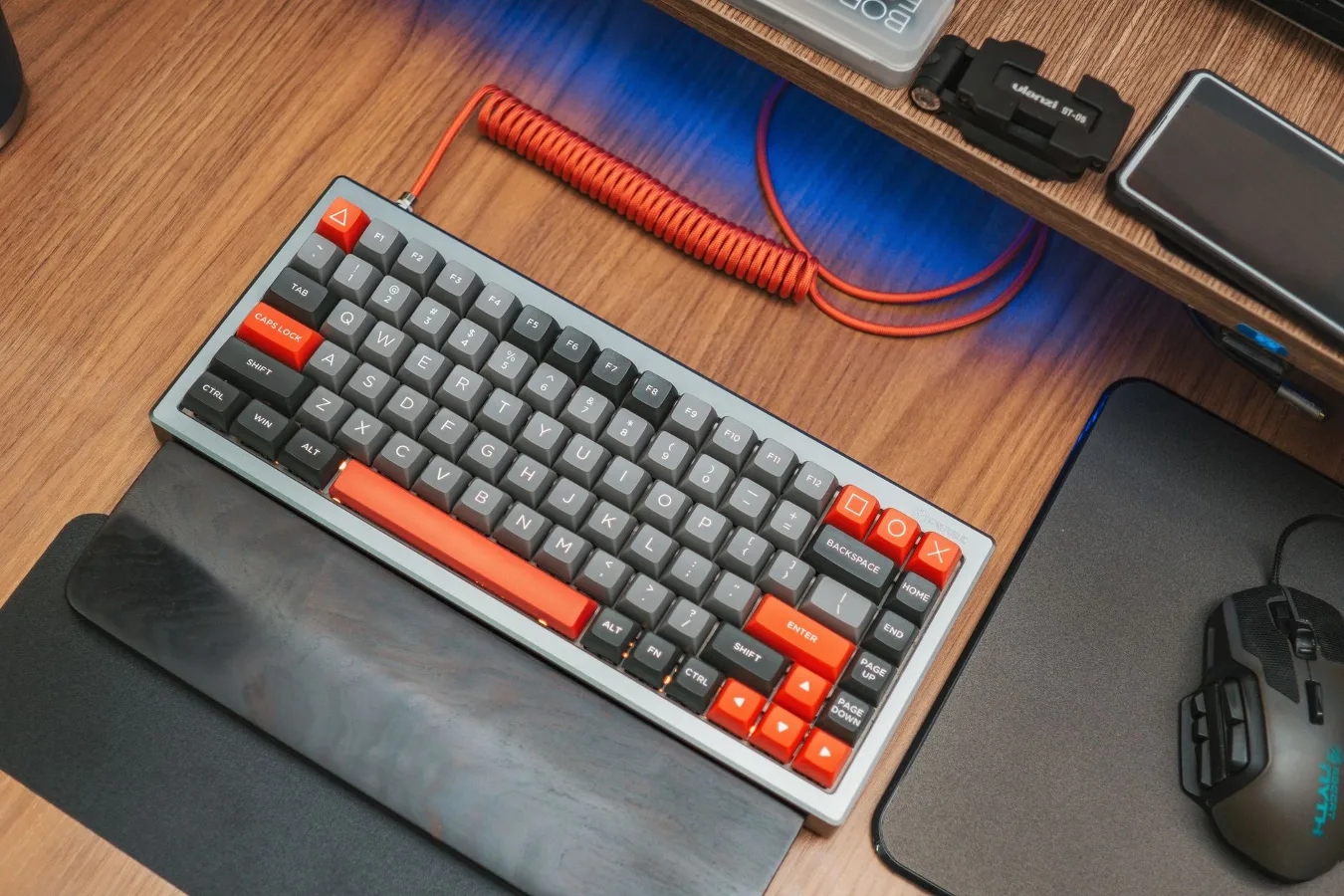
If you are comparing a mechanical keyboard vs magnetic, the short answer is this: mechanical keyboards are the safer all-around choice for most people, while magnetic keyboards make more sense if you care about adjustable actuation, fast key resets, and gaming-focused tuning.
That does not make one universally better. The right pick depends on how you type, how much you game, how sensitive you are to key feel and noise, and whether you want a keyboard that is easy to customize over time or one that is optimized for speed and fine control.
When the difference actually matters
For casual browsing, office work, and general home use, either keyboard type can feel good. The difference becomes more noticeable if you spend long hours typing, switch between work and gaming, or care about very specific things like key travel, actuation point, and response consistency.
A common misconception is that magnetic keyboards are simply “better mechanical keyboards.” They are not the same category in practice. A mechanical keyboard uses physical switches with moving parts and a defined actuation mechanism. A magnetic keyboard, often built around Hall effect sensing, detects key movement electronically instead of relying on a traditional mechanical contact point. That changes how the keyboard can be tuned and how it behaves.
Another overlooked point is that “magnetic” usually describes the sensing method, not the entire keyboard experience. The case, stabilizers, keycaps, mounting style, and firmware still shape the final feel a lot. Two keyboards that both use magnetic switches can feel very different.
Mechanical vs magnetic: the practical comparison
Use the comparison below as a decision guide, not as a winner list. Each category matters differently depending on your use case. Computer guide offers more detail on this point.
| Factor | Mechanical keyboard | Magnetic keyboard |
|---|---|---|
| Typing feel | More variety in switch feel, from linear to tactile to clicky | Usually smoother and more uniform, with less switch variety |
| Actuation control | Fixed by switch design | Often adjustable through software or firmware |
| Gaming features | Strong baseline performance | Often better for rapid reset and fine-tuned key activation |
| Customization | Excellent for switches, keycaps, and modding | Strong software customization, but switch choices may be narrower |
| Noise | Depends on switch type, stabilizers, and build quality | Can be quiet or loud depending on design, not automatically quieter |
| Learning curve | Familiar for most users | May require adjustment if you change actuation settings |
| Longevity/value | Broad ecosystem and easy part replacement | Good for feature-driven buyers, but more dependent on platform support |
Step-by-step criteria to choose the right one
1. Start with your main use case
If your keyboard is mostly for writing, spreadsheets, messaging, and general work, a mechanical keyboard usually offers the most straightforward experience. You get a wide choice of switch feels, many budget and premium options, and a huge accessory ecosystem. budget friendly mechanical keyboard offers more detail on this point.
If your main priority is competitive gaming or highly tuned input behavior, magnetic keyboards deserve a closer look. Adjustable actuation and rapid-trigger style behavior can be attractive if you want keys to register and reset with very little movement. That can be useful in fast-paced games, though not every player will notice the difference in a meaningful way.
2. Decide how much feel matters to you
Mechanical keyboards are easier to tailor to a preferred feel. If you like a distinct bump, tactile switches are available. If you want a smoother press, linear switches are common. If you want a more pronounced sound and feedback, clicky switches exist too.
Magnetic keyboards tend to focus less on switch personality and more on control. That can be a good fit if you care more about precision than tactile variety. But if you enjoy the specific character of different mechanical switches, a magnetic board may feel narrower in personality.
3. Think about customization over time
Mechanical keyboards have the strongest aftermarket support. People often change keycaps, switches, stabilizers, foam, and even cases. Hot-swappable mechanical boards make that easier because you can replace switches without soldering.
Magnetic keyboards can still offer software-level customization, but they are not always as open to hardware swaps. If you like experimenting with different switch types or modding your board physically, mechanical is usually the more flexible platform.
4. Consider noise in your environment
Neither category is automatically quiet. A loud mechanical keyboard can easily be more distracting than a well-built magnetic board, but the reverse can also be true. Noise depends on the switch type, keycap profile, stabilizer tuning, typing force, and the case design.
If you work around other people, focus less on the label and more on whether the board uses linear, tactile, or clicky switches; how the stabilizers are tuned; and whether the case has any sound-dampening design. That practical check matters more than the marketing term.
5. Pay attention to software and firmware
Magnetic keyboards often rely heavily on software for actuation settings, rapid trigger behavior, and profiles. That can be a strength if you like tuning everything. It can also be a drawback if you want a simple plug-and-play setup.
Mechanical keyboards may also use software, especially for macros and lighting, but many feel perfectly usable without it. If you dislike extra configuration steps, mechanical can feel easier to live with.
Examples of who each keyboard suits best
Mechanical keyboard is usually the better fit if you:
- want a dependable all-purpose keyboard
- care about switch variety and typing feel
- prefer easy hardware customization
- plan to keep the keyboard for a long time
- want a familiar experience with fewer software dependencies
Magnetic keyboard is usually the better fit if you:
- play fast-paced games where rapid key reset matters
- want adjustable actuation point control
- like experimenting with sensitivity settings
- prefer a more tuned, software-driven setup
- are comfortable with a narrower ecosystem
Trade-offs people often miss
Magnetic does not automatically mean superior build quality. A well-made mechanical board can feel better than an average magnetic one. Case rigidity, plate material, stabilizers, and keycap quality still affect typing more than many buyers expect.
Mechanical does not mean outdated. Some buyers assume magnetic is the “future” and mechanical is the old option. In reality, mechanical keyboards remain popular because they are flexible, repairable, and easy to personalize. For many users, that is more valuable than advanced switch sensing.
Gaming claims should be read carefully. Magnetic keyboards are often marketed around speed, but raw speed is only part of gaming performance. Your hand position, key layout, desk setup, and familiarity with the board can matter just as much. A feature-rich keyboard is not always a better gaming keyboard if it makes you overthink your settings.
What to check before buying
- Switch feel: linear, tactile, or clicky for mechanical; tuning options and actuation control for magnetic
- Layout: full-size, tenkeyless, compact, or 75% depending on desk space and shortcuts
- Noise level: especially important for shared offices or late-night use
- Software quality: particularly relevant for magnetic keyboards with adjustable settings
- Hot-swap support: useful if you want to change switches later
- Stabilizers and case design: important for larger keys and overall sound
- Compatibility: make sure the keyboard works properly with your operating system and preferred key remapping tools
- Warranty and support: useful if you want a keyboard you can keep in service for years
Common mistakes to avoid
One mistake is choosing based on buzzwords instead of behavior. Terms like fast, pro, ultra-responsive, or low-latency sound appealing, but they do not tell you how the board will feel during a full workday.
Another mistake is ignoring actuation sensitivity. A magnetic keyboard can be tuned very light, which some users love and others find fatiguing or error-prone. If you type heavily, an overly sensitive setup may lead to unintended key presses.
A third mistake is assuming every mechanical keyboard is loud or every magnetic keyboard is quiet. The real noise profile depends on the specific model and how it is built.
Practical recommendations by use case
For office and general productivity: mechanical is usually the safest choice, especially if you want broad switch options and simple everyday reliability. A quiet linear or tactile board is often easier to live with than a heavily tuned gaming model.
For gaming-first setups: magnetic keyboards can be appealing if you want adjustable actuation and rapid response behavior. They make the most sense for players who actually plan to tune the board rather than leave it on default settings.
For mixed work and play: a good mechanical keyboard often offers the best balance. You can choose a switch type that feels comfortable for typing and still performs well in games. If you prioritize fine control and do not mind tuning software, a magnetic option can also work well.
For beginners: start with mechanical unless you already know you want magnetic features. Mechanical keyboards are easier to understand, easier to compare, and easier to customize later.
Quick checklist before you decide
- Do you want switch variety or tuning control?
- Will you use the keyboard more for typing or gaming?
- Do you prefer hardware modding or software customization?
- Is noise a concern in your workspace?
- Do you want a simple keyboard or one that rewards adjustment?
- Are you comfortable with a newer input platform if support depends on firmware and software?
FAQ
Is a magnetic keyboard better than a mechanical keyboard?
Not always. Magnetic keyboards can be better for adjustable actuation and certain gaming use cases, while mechanical keyboards are usually better for switch variety, modding, and all-around flexibility.
Are magnetic keyboards good for typing?
Yes, but the experience depends on the board and its settings. Some users like the smooth, consistent feel, while others prefer the tactile variety of mechanical switches.
Which lasts longer, mechanical or magnetic?
Longevity depends more on build quality, usage, and support than on the category name alone. Mechanical keyboards have a very mature repair and replacement ecosystem, which can help with long-term ownership.
Do magnetic keyboards need software?
Often, yes. Many magnetic boards use software for actuation control, profiles, and gaming features. If you prefer minimal setup, check how much software dependence the model requires before buying.
What is the best choice for a first keyboard?
For most first-time buyers, a mechanical keyboard is the easier recommendation. It is familiar, widely available, and simpler to compare across switch types and layouts.
