
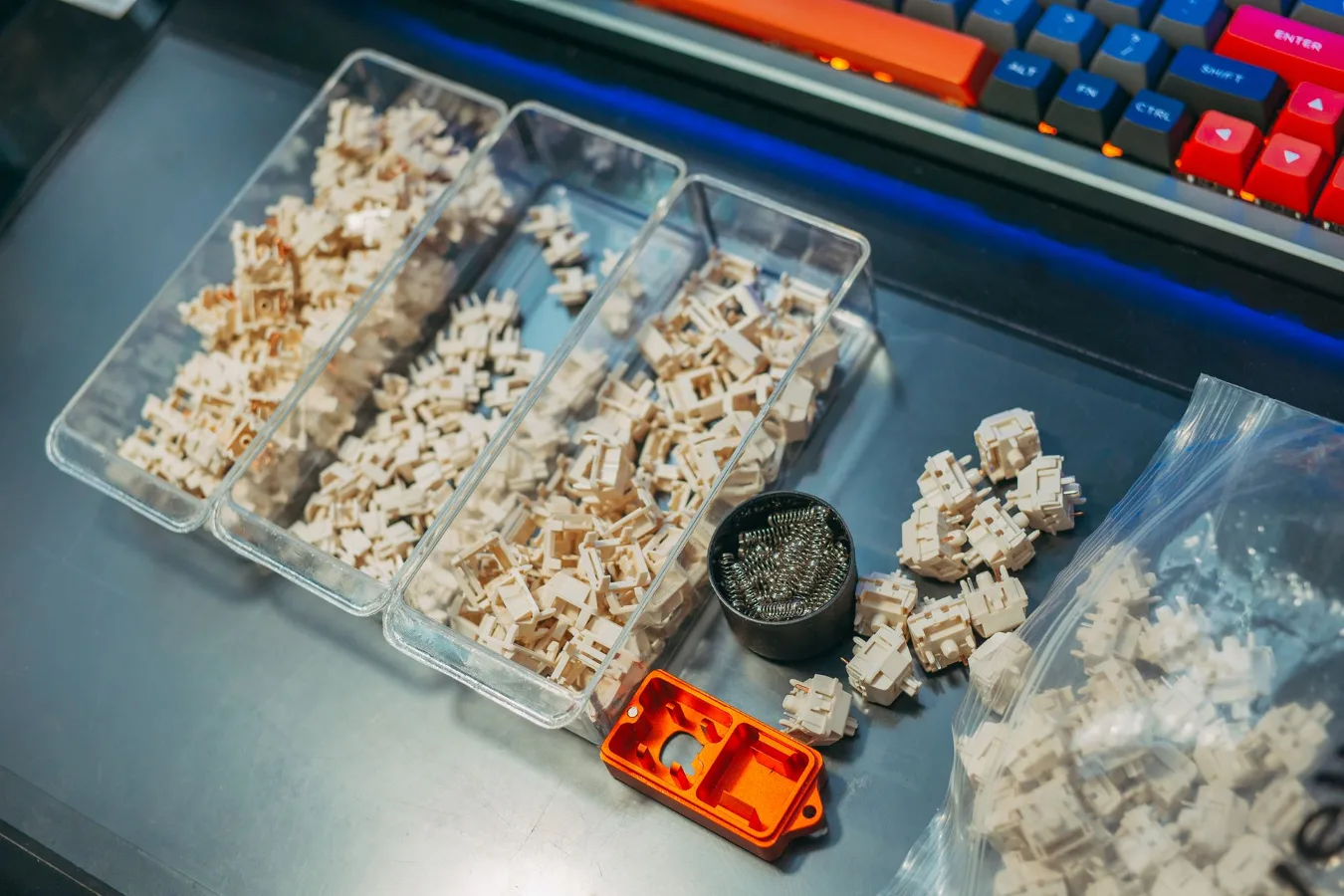
What a mechanical keyboard switch tester is for
A mechanical keyboard switch tester is a small sample board or tray that holds several keyboard switches so you can press them side by side before choosing a keyboard, a hot-swap build, or a full switch set. The point is simple: it lets you compare feel, sound, and resistance in a low-risk way instead of guessing from product listings. guide to mechanical keyboard switches offers more detail on this point. Mechanical Keyboard Brown Switches Guide offers more detail on this point.
For most buyers, the tester matters most when the keyboard decision depends on personal preference. Switches can look similar on paper yet feel very different in use. A tester helps you sort through the major switch families and notice details that are hard to judge from specs alone, such as how early a switch begins to register, how much force it needs, and whether the sound profile feels muted, sharp, or crisp.
If you only need a general office keyboard, you may not need a tester. If you are building a custom board, changing switches on a hot-swappable keyboard, or trying to avoid a choice you will regret, it becomes much more useful.
Why switch testers matter before you buy
Mechanical keyboard switches are usually grouped into linear, tactile, and clicky types, but that category alone does not tell the whole story. Two tactile switches can have very different bumps. Two linear switches can feel almost opposite in smoothness and weight. A tester helps you move beyond broad labels and compare the details that affect comfort over long sessions. linear vs tactile vs clicky switches offers more detail on this point.
This is especially helpful if you are unsure about the trade-off between quietness and feedback. A quieter switch may be more suitable for shared spaces, but a softer sound does not automatically mean a better typing experience. Likewise, a more pronounced tactile bump can improve awareness for typing, yet some users find it distracting for gaming or fast repeated key presses.
A tester is also useful because switch preference is hard to predict from a spec sheet. Actuation force, total travel, spring weight, and housing design can all influence how a switch behaves. The tester turns those abstract terms into something you can actually feel.
How to choose the right switch tester
The best switch tester depends on what you want to learn from it. Some testers are designed for beginners who want a broad overview, while others focus on premium or enthusiast switches. The right choice is less about collecting the biggest number of switches and more about matching the tester to your decision.
1. Look at the switch categories included
A useful starter tester should give you a meaningful spread across the main switch types. That usually means at least a mix of linear, tactile, and clicky options. If you already know you dislike clicky switches, a tester packed only with clicky variants will not be very helpful. Choose a set that reflects the question you are trying to answer.
If you are narrowing down a custom build, it can help to compare switches within the same family. For example, a linear-focused tester may let you judge differences in smoothness, spring weight, and bottom-out feel more clearly than a mixed sampler would.
2. Check whether the tester reflects real usage
Some testers mount switches in a simple board with no keycaps. Others include keycaps, sound dampening, or even a small case. The more the tester resembles a real keyboard, the more useful it is for judging feel and sound together. A naked switch can tell you about stem feel and spring resistance, but it will not fully show how the switch behaves once it is paired with a keycap and a keyboard plate.
That said, a stripped-down tester still has value. If your main concern is raw switch feel, a minimal tester can make comparisons easier because it removes extra variables.
3. Pay attention to mounting and compatibility
Most modern mechanical keyboard switches are based on familiar MX-style compatibility, but not every tester uses the same layout or housing approach. Make sure the tester supports the switch family you care about. If you are considering less common switch styles or specialty formats, compatibility matters more than appearance.
It also helps to think ahead. If you plan to use the switches in a hot-swappable keyboard, choose a tester that includes options similar to the kind of board you own or plan to buy. That makes the sample more realistic.
4. Consider how many switches you actually need
A larger tester is not automatically better. Too many similar switches can make the comparison harder, not easier. If you are a beginner, a curated set with distinct options is often more useful than a huge sampler with near-duplicates. If you are already familiar with the basics, a more focused collection may help you compare subtle differences more efficiently.
A practical approach is to start broad, then narrow the field. First identify the switch family you prefer. Then compare a few variations in weight, feel, or sound before committing to a full keyboard build or switch purchase.
What to evaluate while using a switch tester
To get useful results from a mechanical keyboard switch tester, focus on a few consistent criteria rather than pressing each switch randomly. A structured comparison gives you better insight and makes it easier to remember what stood out.
Feel
Feel is usually the main reason people buy a tester. Ask whether the switch feels light, medium, or heavy; smooth or textured; steady or springy. A tactile switch should show a bump you can detect without effort. A linear switch should feel even through the press. A clicky switch should provide a distinct click, but that click should not be the only thing you notice.
Sound
Sound matters more than many buyers expect. Some switches sound sharp and high-pitched, while others feel damped or deeper. The tester will not perfectly reproduce the acoustics of a full keyboard, but it can still reveal whether a switch is likely to fit your environment. This is important if you work near other people, take calls, or want a quieter desk setup.
Resistance and fatigue
A switch can feel good for a few presses and still become tiring over a long session. Pay attention to whether the spring weight feels natural for your typing speed and how it might affect repeated use. A very light switch may feel fast, but accidental presses can become a problem. A heavier switch may feel controlled, but long typing sessions can become less comfortable.
Travel and return feel
Some users focus on the press-down and ignore the return. That is a common mistake. The return stroke affects how quickly you can type and how responsive the keyboard feels overall. If you are comparing switches for gaming or rapid typing, this detail can matter as much as the initial press.
Stability
Even on a tester, you may notice wobble or a less stable stem feel. That does not always mean the switch is poor, but it can indicate how the switch may behave on a full board. Stability becomes more important if you are sensitive to uneven key motion or if you want a consistent typing feel across a build.
Common mistakes people make with switch testers
One of the biggest mistakes is treating the tester like a final verdict after a few presses. Switch preference often changes once you type a full paragraph, not just a single key. The tester is a decision tool, not a replacement for real usage.
Another common mistake is comparing switches in poor conditions. A quiet room, a good desk surface, and a focused test give better results than casually tapping the switches while distracted. Sound, in particular, can be misleading if the environment is noisy.
People also tend to overvalue novelty. A unique switch may feel interesting for a minute, but that does not mean it is the best fit for daily work. The more important question is whether the switch remains comfortable and predictable after extended use.
Finally, some buyers ignore the rest of the keyboard. Switches interact with keycaps, plate material, mounting style, and case design. A tester can help you isolate switch choice, but it cannot fully predict the final board experience.
Practical examples of how a tester helps
If you type all day, a tester can help you compare lighter and more moderate switches before choosing one that reduces fatigue without creating too many accidental presses. If you game and type on the same board, it can help you decide whether you want a smooth linear switch or a more tactile option with clearer feedback.
If you are building your first custom keyboard, a tester can prevent a costly mismatch between expectation and reality. A switch that sounds appealing in a description may feel too stiff, too light, or too loud once you try it. Testing a few candidates first gives you a more grounded choice.
If you already own a hot-swappable keyboard, the tester can help you decide whether swapping switches is worth the effort. That matters because hot-swap support lowers the barrier to experimentation, but it does not remove the need for a good fit.
When a switch tester is worth buying
A switch tester is most worth it if you are uncertain, shopping for a custom keyboard, or considering a switch family you have never used before. It is also a smart purchase if you are the kind of buyer who wants fewer surprises and prefers to compare options before committing.
It is less necessary if you already know exactly what kind of switch you like and you are simply replacing a worn keyboard with a similar feel. In that case, the money may be better spent on a board, keycaps, or a switch set that already matches your preference.
For many buyers, the real value of a tester is not just choosing a switch. It is avoiding the wrong one. That can save time, reduce frustration, and make the rest of the keyboard setup easier to enjoy.
What a good decision process looks like
A practical way to use a mechanical keyboard switch tester is to narrow your options in stages rather than trying to memorize every switch at once. Start with the broad category, then compare the variants that remain relevant.
- Decide whether you want linear, tactile, or clicky behavior.
- Compare a few spring weights or feel variations within that category.
- Notice sound, resistance, and return feel during repeated presses.
- Think about your main use case: typing, gaming, shared office use, or mixed work.
- Match the switch choice to the rest of your keyboard build, not just the switch itself.
This approach keeps the decision manageable. It also reflects the reality that the best switch is usually the one that fits your habits, environment, and tolerance for sound or resistance.
A simple checklist before you choose
- Know whether you prefer linear, tactile, or clicky behavior.
- Think about noise tolerance in your workspace.
- Consider how much resistance feels comfortable during long sessions.
- Check that the tester includes the switch family you want.
- Decide whether you need a minimal sampler or a more realistic setup.
- Remember that keycaps, plate design, and case construction can change the final feel.
- Use the tester to narrow choices, not to chase novelty.
A mechanical keyboard switch tester is most useful when it helps you make a calmer, better-informed choice. If you treat it as a comparison tool rather than a gimmick, it can save you from buying the wrong switches and make the final keyboard feel much closer to what you actually wanted.
