
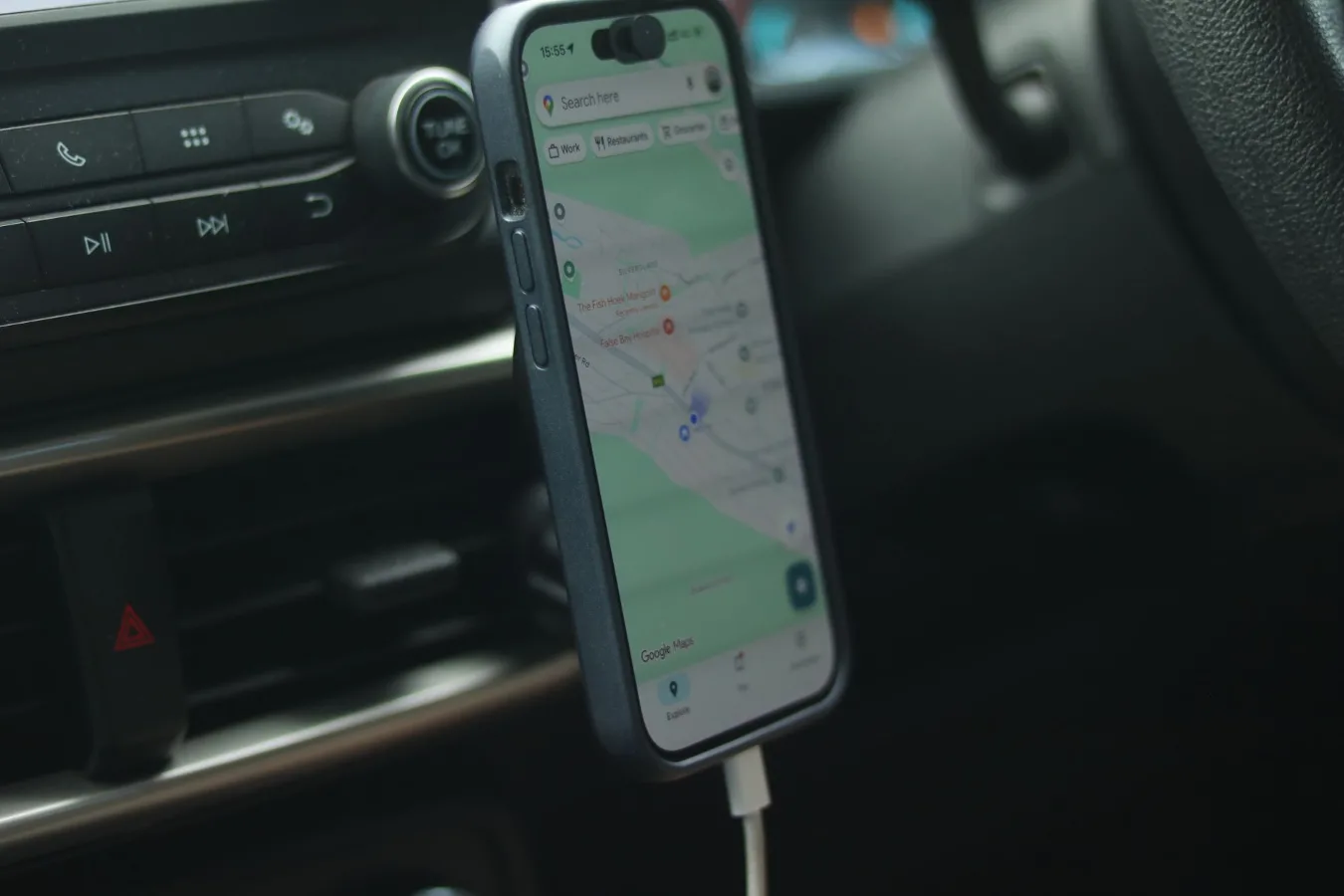
What the iOttie Auto Sense car phone mount is for
The iOttie Auto Sense car phone mount is for drivers who want a phone holder that secures a smartphone quickly and keeps it visible for navigation, calls, and music control. The appeal is simple: it combines an automatic clamping design with in-car mounting, so you are not juggling a phone while trying to start driving. phone mount for car cup holder offers more detail on this point.
If you are searching this product by name, you are usually comparing it against other car mounts that use spring arms, manual grips, vent clips, or magnetic plates. The main question is less about the brand name and more about whether the Auto Sense style fits your vehicle, your phone, and your charging needs.
This is especially relevant for drivers who rely on maps every day, switch between short errands and longer trips, or prefer a mount that keeps the phone easy to see without holding it in place by hand.
When it makes sense to choose this type of mount
An automatic car phone mount makes the most sense if you want convenience and consistent placement. Instead of opening and closing arms manually each time, the mount does the clamping for you. That can be helpful when you are getting into the car with one hand full, or when you simply want a faster routine.
This style is also worth considering if you use navigation often. A mounted phone is easier to glance at than one sitting in a cup holder or sliding around a seat. That matters for route changes, traffic reroutes, and rideshare-style stop-and-go use.
It may also fit drivers who dislike vent clips. Vent-mounted holders can be compact, but they are not ideal for every cabin layout, and they can interfere with airflow or feel less stable on some vents. A dashboard or windshield setup can be a better match if you want a more fixed viewing position.
Step-by-step criteria before you buy
1. Confirm your mounting location
The first decision is where the mount will live. Dashboard and windshield placement can offer a clearer sightline, but the right choice depends on your car’s interior, your seating position, and local rules. A mount should support visibility without creating distraction or blocking your view of the road.
Think about the shape of your dashboard and how much flat space it has. Some mounts need a smooth, stable surface to hold well. If your dashboard is heavily textured, curved, or unusually narrow, the mount may need more careful placement.
2. Check phone size and case compatibility
Do not assume every automatic mount will handle every phone the same way. Large smartphones, thicker protective cases, pop sockets, and other accessories can affect fit. If you use a bulky case, make sure the mount’s clamping range and charging pad placement are suitable for your device.
A common mistake is buying a mount for the phone itself and forgetting about the case. In practice, many drivers keep the case on at all times, so compatibility should be judged that way rather than on the bare phone alone.
3. Decide whether wireless charging matters
Some Auto Sense-style mounts are paired with wireless charging, while others are simply holders. If you want charging, confirm that your phone supports the charging standard the mount uses and that your power setup in the car can keep up.
Wireless charging adds convenience, but it also adds a few trade-offs. Charging can be slower than a wired connection in some situations, and alignment matters more. Heat, thick cases, and rough roads can also affect how consistently the phone stays positioned on the charging surface.
4. Consider how often you remove the phone
If you take your phone in and out of the car many times a day, the auto-clamping feature is a real convenience. If the phone stays mounted most of the time, the benefit is still there, but it becomes less decisive. In that case, mount stability and viewing angle may matter more than the clamp mechanism itself.
5. Think about one-handed operation
One-handed usability is one of the main reasons people choose this category. You want a mount that is easy to place into and release from without awkward reaching or forcing parts into position. That is particularly useful when your vehicle has a tall dashboard, a deep windshield angle, or a position that is not easy to access from the driver’s seat.
What to expect from the design
The biggest advantage of an Auto Sense mount is the interaction model. The phone is placed near the holder, the arms close automatically, and the device stays secured without needing a separate manual lock step. For many drivers, that is a smoother routine than fidgeting with side grips every trip.
That said, automatic mounts are not magic. They still depend on good placement, secure suction or adhesive, and a clear path for the phone to sit centered. If the mount is installed too low, too far to one side, or on an unstable surface, the experience can feel less polished. best phone mounts for daily commuting offers more detail on this point.
Another practical nuance: automatic arms are convenient, but they can be more sensitive to positioning than a plain clamp. If you are rushing, placing the phone carelessly may not seat it as cleanly as expected. That is not a dealbreaker, but it is worth keeping in mind if you prefer a very simple, no-thought holder.
Benefits that matter in real driving
- Faster phone placement: Useful when entering and leaving the car frequently.
- Better screen visibility: Helps with navigation and glanceable information.
- More stable than loose storage: Reduces sliding, tipping, and seat-pocket clutter.
- Less manual fiddling: Helpful if you want a more consistent setup each drive.
- Optional charging convenience: Some versions reduce cable management if wireless charging is included.
These benefits are most noticeable in daily commuting, delivery driving, family errands, and road trips where your phone becomes a navigation tool rather than something you check occasionally.
Limitations and trade-offs to weigh
No car phone mount is perfect, and this category has a few real trade-offs. The first is placement sensitivity. A mount can only feel secure if the surface it attaches to is appropriate and the angle suits your cabin.
The second is charging complexity, if included. Wireless charging sounds simpler than cables, but it can require better phone alignment and a stable mount. If the phone shifts slightly or the case is too thick, charging may be less reliable than expected.
The third is the mechanical design itself. Automatic arms are convenient, but they are also more complex than a basic passive holder. For some buyers, that is worth it; for others, a simpler clamp or magnetic mount may be easier to live with over time.
There is also a practical limitation many shoppers overlook: a mount that looks great on paper may still feel awkward in your specific vehicle. Seat height, dash depth, and screen angle all affect comfort. A product can be well made and still not be the best fit for your cockpit layout.
Examples of the right fit by use case
For daily commuters
If you drive the same route every day and use maps regularly, convenience and repeatable placement matter most. An automatic mount can reduce small frustrations that add up over time. A fixed, easy-to-see location is usually better than a holder you need to adjust each morning.
For rideshare or delivery drivers
Frequent phone access makes one-handed operation especially useful. The mount should also stay stable through repeated use, sudden stops, and constant attention shifts. Charging support can be valuable here, but only if it does not complicate the workflow.
For occasional drivers
If you only use a navigation app once in a while, the convenience premium may be less important. In that case, you may prefer a lower-cost mount or a simpler design. The Auto Sense style still works, but it may be more than you need.
For drivers with larger phones
Larger phones can work well in a sturdy mount, but size and case thickness become more important. Check that the arms or cradle can support the phone without pressing buttons awkwardly or making removal difficult.
How this compares with other common mount types
| Mount type | Main advantage | Main drawback | Best for |
|---|---|---|---|
| Automatic clamp mount | Fast placement and removal | More moving parts | Drivers who want convenience |
| Magnetic mount | Very quick attachment | Often needs a metal plate | Minimalists who want a simple setup |
| Vent mount | Compact and easy to move | May interfere with vents or feel less stable | Smaller cars or temporary use |
| Traditional grip mount | Simple and familiar | Requires manual adjustment | Buyers who prefer no electronics |
The right choice depends on what problem you are trying to solve. If your main issue is speed and convenience, the Auto Sense style has a clear advantage. If you want the simplest possible holder, a magnetic or manual design may be easier.
Common mistakes to avoid
- Buying without checking mount location: A good product can perform poorly if placed on an unsuitable surface.
- Ignoring case thickness: Bulky cases can affect fit and charging alignment.
- Expecting every phone to sit the same way: Camera bumps, button layout, and body size all matter.
- Overlooking charging needs: Not every mount includes charging, and not every charging setup is equally convenient.
- Installing it too low: Poor positioning can make the screen harder to see and more distracting to reach.
A subtle but important mistake is treating all car mounts as interchangeable. In real use, the car interior matters as much as the accessory itself. The best mount is the one that fits your phone and your driving position together.
A practical checklist before you order
- Measure the available space where you want to mount it.
- Confirm whether you want a holder only or a charging model.
- Check your phone size and whether you use a thick case.
- Think about dashboard, windshield, or vent placement.
- Decide whether one-handed operation is a priority.
- Review how easily you can reach the mount from the driver’s seat.
- Consider whether the mount should stay in one vehicle or move between cars.
- Look for a setup that keeps the screen visible without blocking your view.
This checklist sounds basic, but it prevents most bad buys. Many returns happen because the buyer chose a mount by brand name instead of by cabin layout and device fit.
Who should consider alternatives instead
You may want a different kind of mount if you prefer a fully passive design, if your dashboard has no suitable mounting area, or if you want the lightest possible setup. A magnetic holder may be enough for a smaller phone. A vent clip may suit drivers who change cars often. A plain clamp can also make sense if you do not care about automatic opening and closing. phone mount for car vent offers more detail on this point.
Drivers who want the most reliable charging experience may also prefer a dedicated wired setup, especially if they already keep a cable in the car. That approach is less elegant, but it can be simpler to diagnose if charging behavior becomes inconsistent.
How to evaluate whether it is worth buying
The iOttie Auto Sense car phone mount is worth considering if you want a convenient, driver-friendly holder with a more polished everyday workflow than a basic clamp mount. It is especially appealing when ease of use matters more than minimalism.
It is less compelling if you want the absolute simplest mount, if you dislike powered accessories, or if your vehicle has awkward mounting surfaces. In those cases, a different holder may be easier to live with even if it offers fewer features.
The best way to judge it is to start with your actual use pattern: how often you drive, whether you rely on navigation, whether you want charging, and where the mount would sit in your car. If those answers point toward convenience and visibility, this type of mount fits the brief well.
