
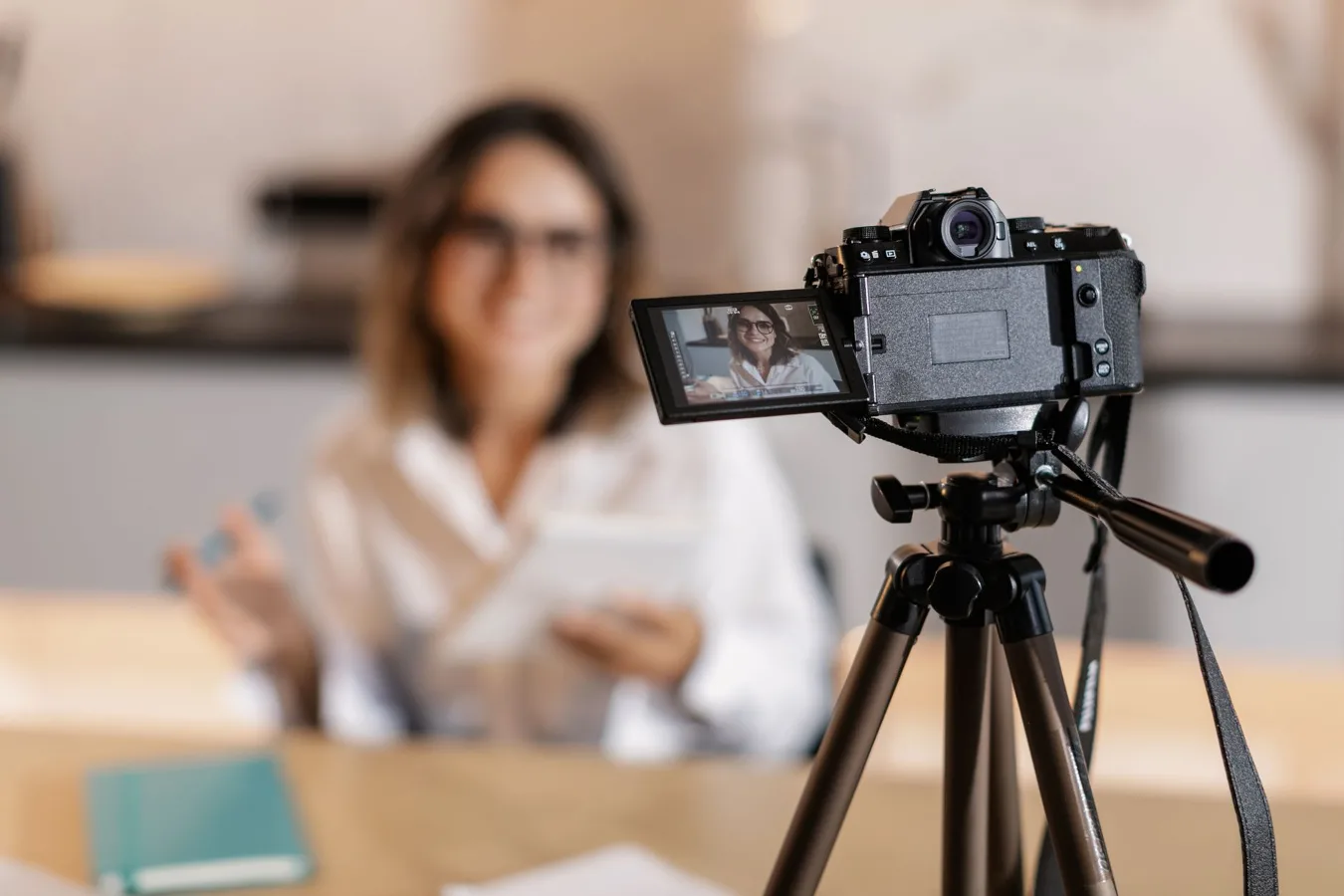
Why a flip screen matters for Canon vlogging cameras
If you are looking for a Canon vlogging camera flip screen, the main reason is simple: you want to see yourself while recording. A flip or vari-angle screen makes it much easier to frame your shot, keep eye line where it should be, and notice problems before you finish filming. used vlogging camera offers more detail on this point.
For vlogging, that matters more than many first-time buyers expect. A rear screen that tilts or fully articulates helps with solo filming, especially for talking-head videos, product demonstrations, travel clips, and indoor setups where you cannot rely on someone else to monitor the shot.
The better question is not just whether the screen flips, but how the rest of the camera supports the way you create. A great flip screen is useful, but it is only one part of the decision.
What to look for before choosing one
Canon has several cameras that can work for vlogging, but the right one depends on a few practical factors. Some are about image quality, while others affect comfort and consistency more than people realize.
Screen design and how it fits your workflow
Not all flip screens behave the same way. Some tilt upward or downward, while others fully articulate to the side and rotate forward. For vlogging, a fully vari-angle screen is usually the most flexible because it lets you see yourself from front-facing angles without blocking ports or microphones as easily.
That said, the best design depends on your use case:
- Talking-head videos: a fully articulating screen is usually the most convenient.
- Low-angle or overhead shots: a tilt screen can be simpler and faster.
- Frequent tripod use: side-opening screens are often easier to monitor while the camera is mounted.
An overlooked detail is how the screen behaves when accessories are attached. A microphone, cable, or small light can sometimes make certain screen movements less convenient. If you plan to build a creator setup, check how the display opens relative to the camera body.
Autofocus during self-recording
For vlogging, autofocus can matter as much as the screen itself. If you move around, gesture frequently, or shift your distance from the camera, reliable face detection and subject tracking reduce the chance of soft footage.
Canon is known for autofocus systems that are often well suited to solo recording, but performance still varies by model and shooting conditions. A camera may do very well in bright indoor light and become less dependable in darker rooms or when the subject changes position quickly. That is a common misconception: a flip screen helps you monitor the shot, but it does not solve autofocus limitations on its own.
Size and weight
Many people shopping for a vlogging camera focus on specs and forget how often they will actually hold the camera. For handheld vlogging, a lighter body can make a big difference in comfort, especially for longer shoots or travel days. how to choose a vlogging camera offers more detail on this point.
Smaller cameras are easier to carry and less intimidating for casual filming. Larger mirrorless models may offer more control and room for accessories, but they can be more tiring to hold at arm’s length. If you plan to vlog while walking, commuting, or filming in public, portability deserves serious attention.
Audio support
Video quality gets attention, but audio is often the difference between content that feels polished and content that feels hard to watch. A built-in microphone may be enough for quick clips, but most creators eventually prefer an external mic option.
Before you choose a Canon camera, check whether it supports an external microphone and whether that affects how you use the flip screen or grip the body. For some creator setups, the mic mount and screen movement need to coexist comfortably. That is easy to overlook until the first time you plug everything in. mount for action camera gopro offers more detail on this point.
Lens options and shooting flexibility
Some Canon vlogging cameras use fixed lenses, while others are interchangeable-lens models. This changes the entire buying decision.
A fixed-lens camera can be simpler for beginners because there is less to learn and fewer accessories to manage. A mirrorless Canon body with interchangeable lenses gives you more flexibility for wider shots, background separation, and different environments. The trade-off is that lenses add cost, size, and complexity.
If your main goal is self-shot content, the practical question is whether you want a simple all-in-one camera or a system you can expand over time.
How to match the camera to the way you vlog
The best Canon vlogging camera with a flip screen depends on the kind of content you make. Different shooting styles reward different strengths.
For talking-head and desk content
If you film reviews, commentary, tutorials, or sit-down videos, prioritize screen articulation, autofocus reliability, and the ability to use an external mic. In this setup, the camera often sits on a tripod, so grip size and weather resistance may matter less than usability and image consistency.
A stable camera position also means you can spend more time checking framing and exposure. In that scenario, a screen that flips fully forward is especially useful because you can keep your line of sight natural instead of guessing where you are in the frame.
For travel and everyday vlogging
Travel creators and everyday vloggers usually need a more balanced camera. Portability, quick startup, and battery comfort matter because shooting often happens in short bursts. A compact body may be more practical than a larger model with more advanced controls.
If you film on the move, one common mistake is choosing the most feature-rich body instead of the one you are most likely to carry. A camera that feels too bulky often gets left behind, which defeats the purpose.
For beginner creators
Beginners usually benefit from a camera that reduces friction. Look for a clear menu system, dependable autofocus, a user-friendly flip screen, and a shooting mode that does not force constant technical adjustments. A camera that is easy to use is often more valuable than one with extra options you will not touch.
Another practical point: beginners often underestimate how much they rely on the screen to confirm framing, exposure, and whether they are accidentally cropped out. A responsive display can reduce reshoots and make learning less frustrating.
Balanced trade-offs to consider
Buying a Canon vlogging camera with a flip screen is less about finding a perfect model and more about understanding the compromises.
- Flip screens add convenience: they make solo shooting easier and more accurate.
- But articulation can add complexity: some screen designs may feel slower to adjust or less streamlined in a bag.
- Smaller cameras are easier to carry: but they may have fewer physical controls or shorter battery endurance depending on the setup.
- More advanced bodies offer more flexibility: but they can be heavier and more expensive once lenses and accessories are included.
The best choice is usually the one that fits your actual workflow, not the one with the longest feature list.
Practical buying guidance for Canon shoppers
If you are comparing Canon options, start by narrowing the decision around your main use case.
- Choose your recording style first. Talking-head, travel, livestream-style content, and handheld walk-and-talks all place different demands on the camera.
- Check the screen mechanism. Make sure the flip screen supports the way you frame yourself and does not interfere with accessories.
- Prioritize autofocus if you move a lot. Face tracking is especially helpful for creators who shift position or film without a dedicated camera operator.
- Think about audio early. If you expect to use an external microphone, verify the camera setup remains comfortable and practical.
- Consider lens strategy. Decide whether you want a simpler fixed-lens camera or an interchangeable-lens system that can grow with your channel.
That sequence often produces a better buying decision than comparing specs line by line. Specs matter, but vlogging is a workflow problem as much as a technical one.
Common mistakes shoppers make
People shopping for a Canon vlog camera often focus on the wrong details. A few mistakes show up again and again.
- Choosing based on screen flip alone: a great screen does not compensate for weak autofocus or awkward handling.
- Ignoring audio: poor sound can undermine otherwise good video.
- Overbuying for features they will not use: advanced controls are useful only if you actually need them.
- Underestimating size: a camera that feels comfortable in the store may be tiring during a real filming day.
- Forgetting accessory compatibility: microphones, tripods, lights, and grips can change how the camera behaves.
A more subtle mistake is assuming every Canon camera with a flip screen is automatically a vlogging camera. Some are better suited to general photography with occasional video use. That does not make them bad choices, but it does change what you should expect.
When a different type of camera may be the better choice
A Canon camera with a flip screen is not always the best answer. If your priority is absolute simplicity, a compact point-and-shoot style camera may be easier to live with. If you want maximum flexibility, an interchangeable-lens mirrorless body might be the better long-term platform.
There are also cases where the flip screen matters less than stabilization, low-light handling, or a specific lens angle. For example, creators who mostly film wide environmental shots may value lens choice more than the screen design itself. Likewise, if most of your content is tripod-based in controlled lighting, other features may matter more than portability.
That is the key nuance: the flip screen solves one part of the vlogging puzzle, but the best camera solves the whole routine.
How to make the camera easier to use day to day
Once you choose a camera, a few habits can make the setup more reliable.
- Set up a default shooting mode so you are not reconfiguring the camera each time.
- Test the screen movement with your accessories before your first real shoot.
- Check framing at your typical arm’s-length distance rather than only at close range.
- Keep the lens and display clean so you can monitor focus and composition accurately.
- Use a tripod or grip when needed to reduce fatigue and improve stability.
These are small steps, but they often matter more than a marginal spec difference between two camera bodies.
Choosing the right Canon vlogging camera with flip screen
If your search is centered on a Canon vlogging camera flip screen, start with the screen, then judge the rest of the camera around how you actually film. For many creators, the best option is one that offers a clear forward-facing display, dependable autofocus, reasonable portability, and straightforward audio support.
If you create mostly talking-head videos, a fully articulating screen and strong face tracking may be your top priorities. If you vlog while traveling, comfort and size may matter more. If you want room to grow, an interchangeable-lens Canon model can make sense even if it takes a little more learning.
The right camera is the one you will enjoy using consistently. For vlogging, consistency usually matters more than chasing the most impressive spec on the box.
